All of your center's work in one system
From assessment and the plan to scheduling, sessions, parents and administration, shown in real screens from a system used every day at Sawa Academy.

A day in the life of a therapist on Enable 360
An illustrative day, with real screens from Sawa Academy. Scroll through the hours.
Her schedule is ready before she arrives
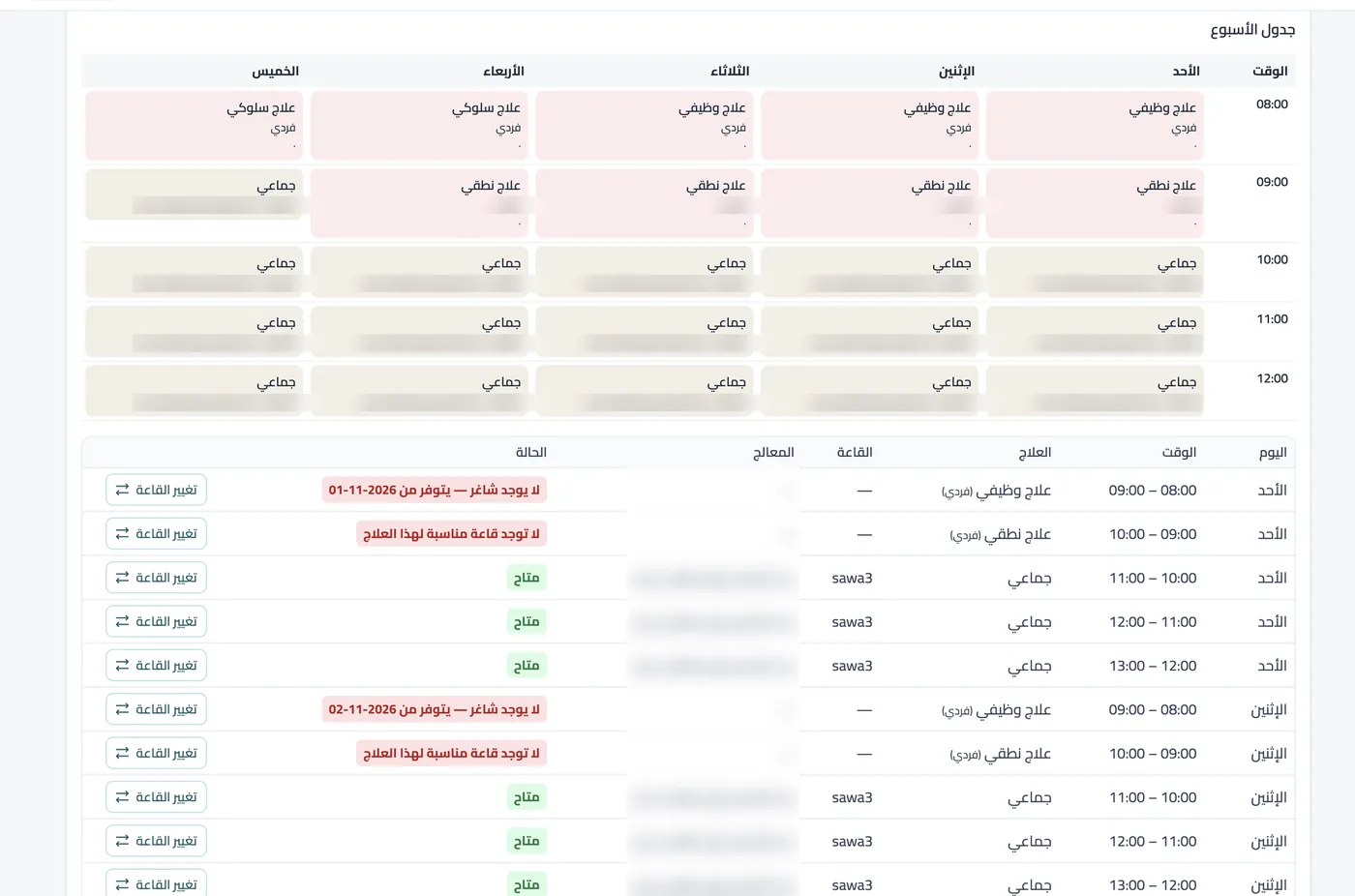
Today's sessions are assigned to rooms and children, adjusted automatically for absences.
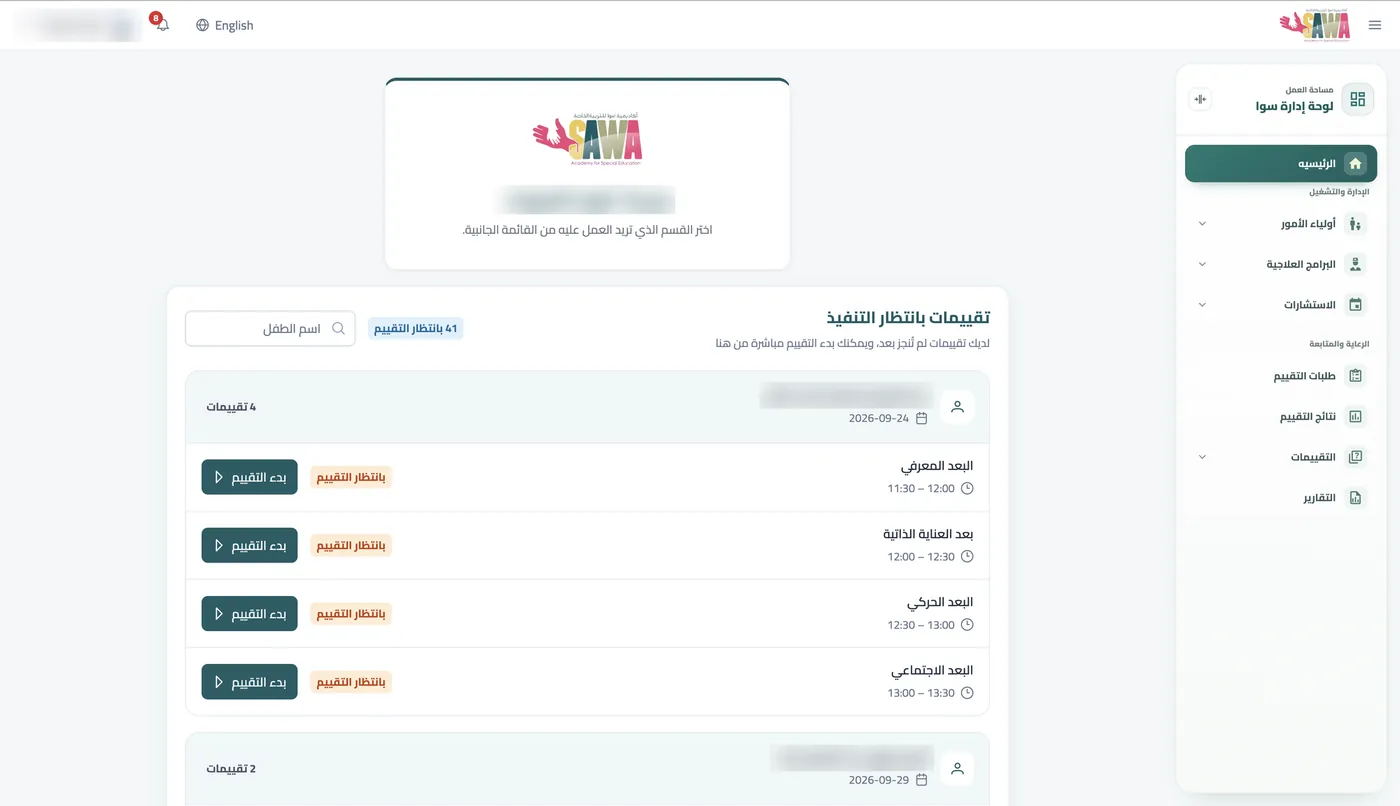
Her assessments are waiting
She opens the system to find her next assessments, and starts or resumes any of them with one tap.
The session runs in the system
She logs the child's responses and break schedule in the system, with the date and her name as trainer.
The assessment scores itself
She finishes the assessment, and scores, strengths and weaknesses appear immediately.
The plan comes from the result
Weaknesses become goals in the child's name, tracked through the MT, EXP and RR stages.
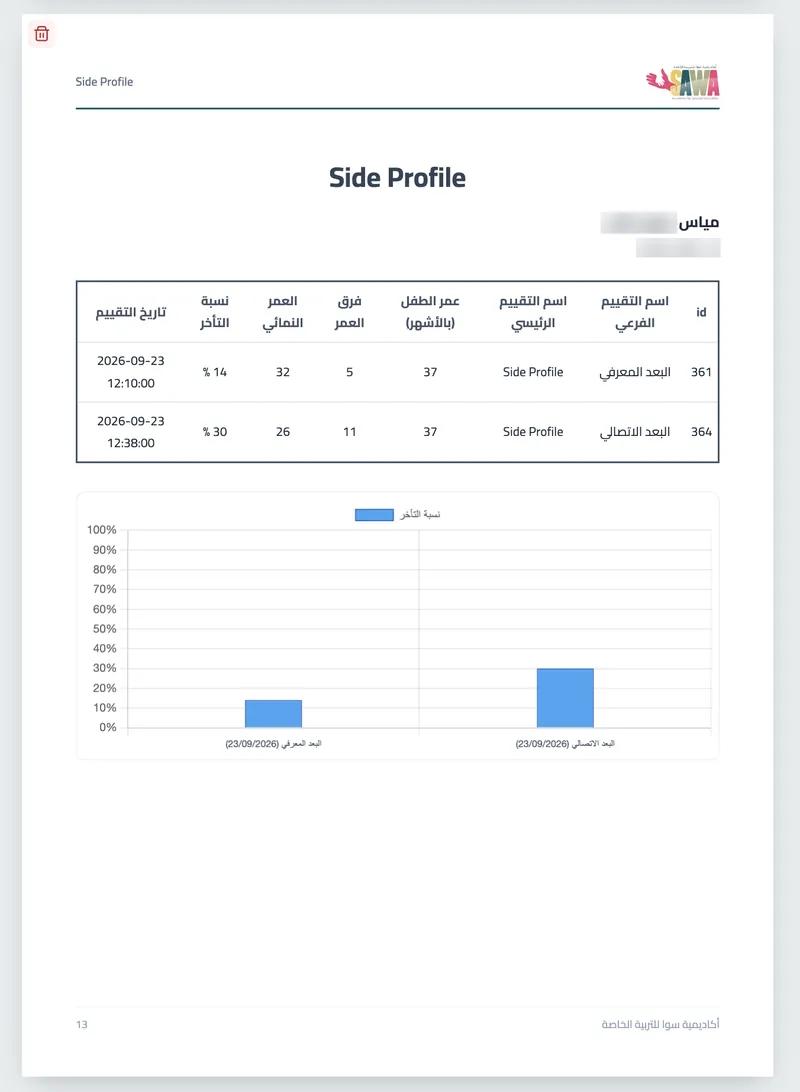
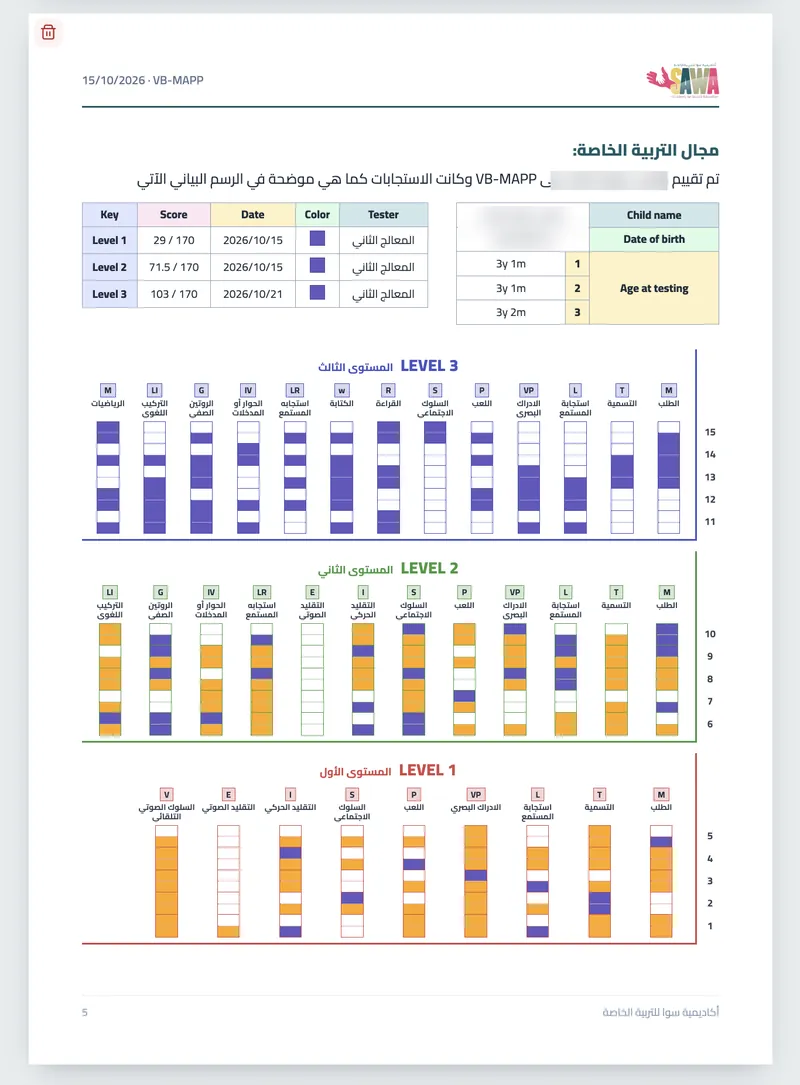
The report is ready
The report comes out in the approved format, with scores and charts already in place.
Parents are in the picture
The plan and home guidance reach the parents, along with an alert when the child is dropped off at home.
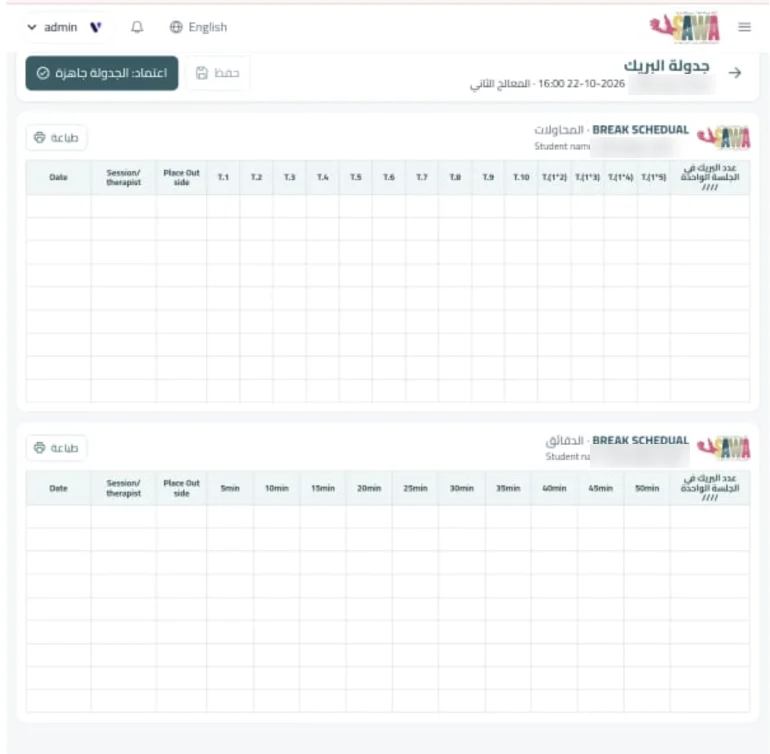
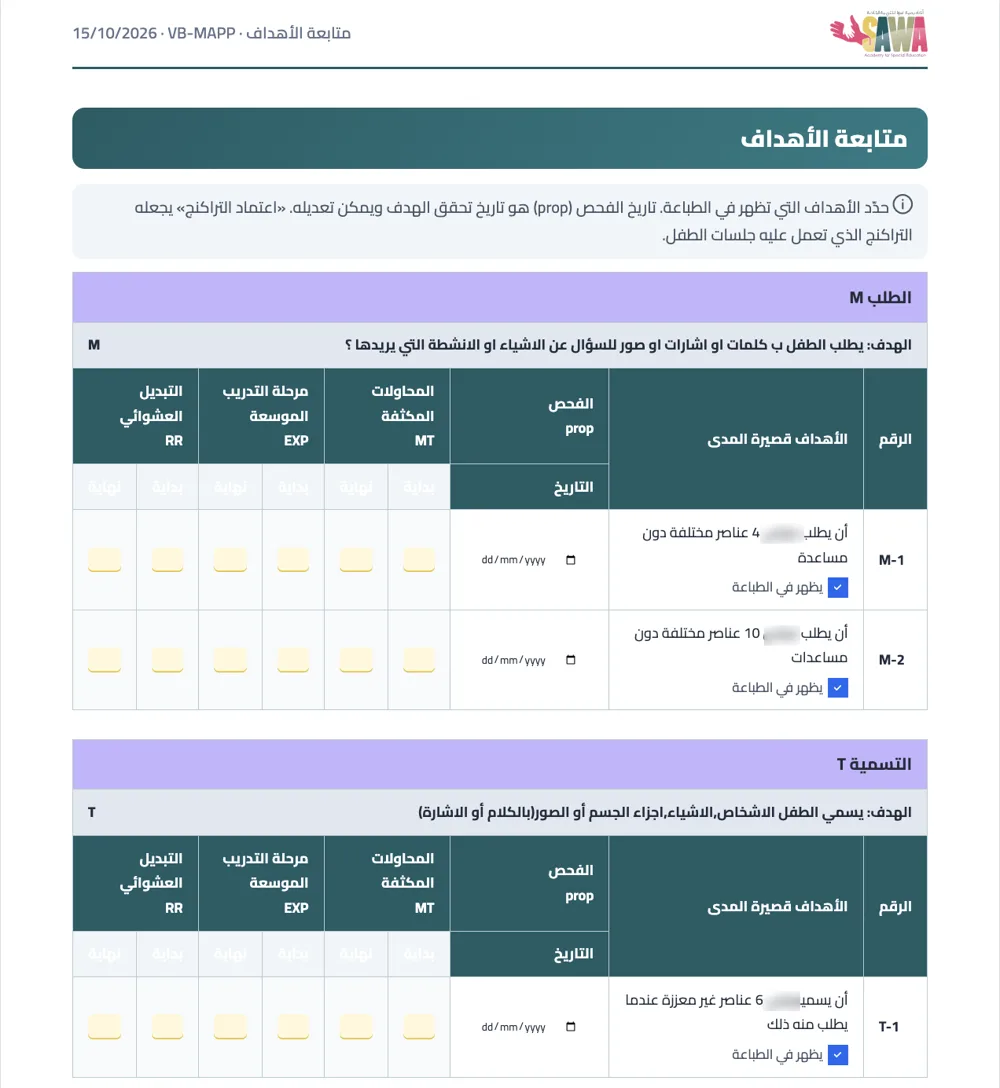
Real screens from Sawa Academy
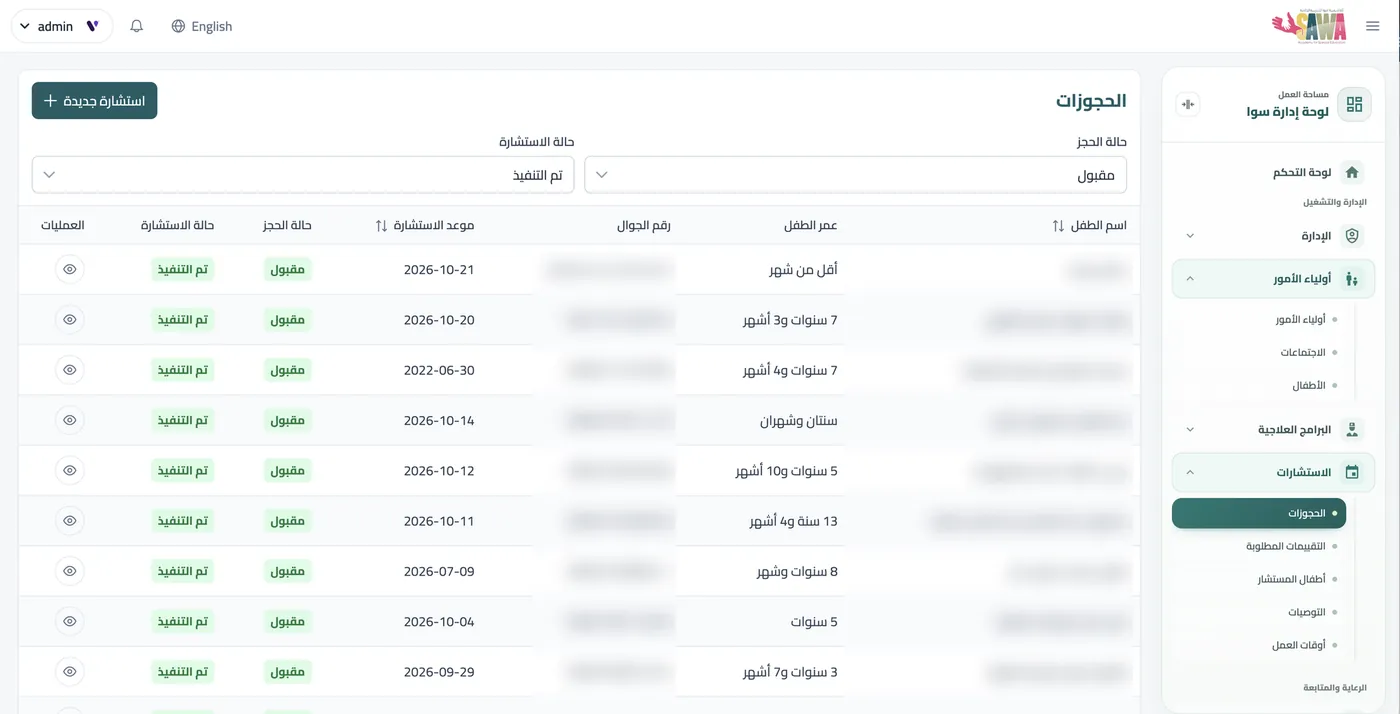
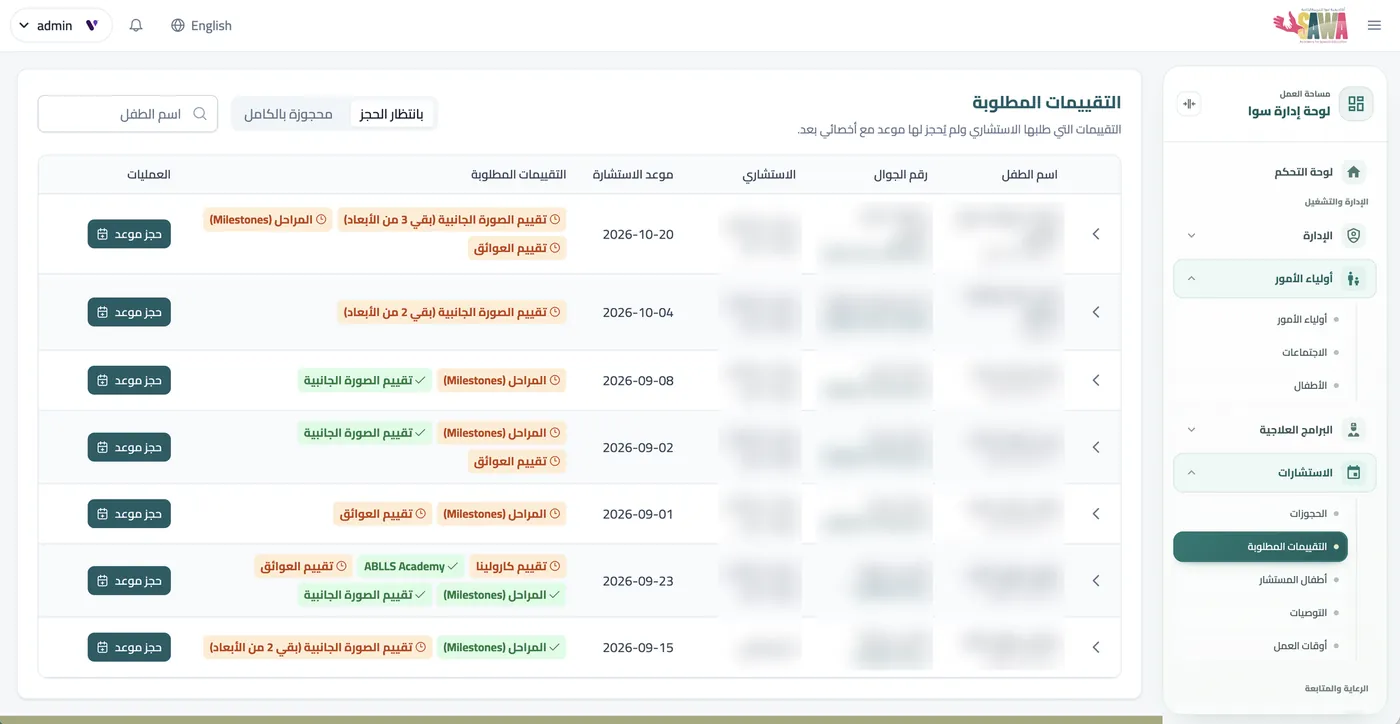
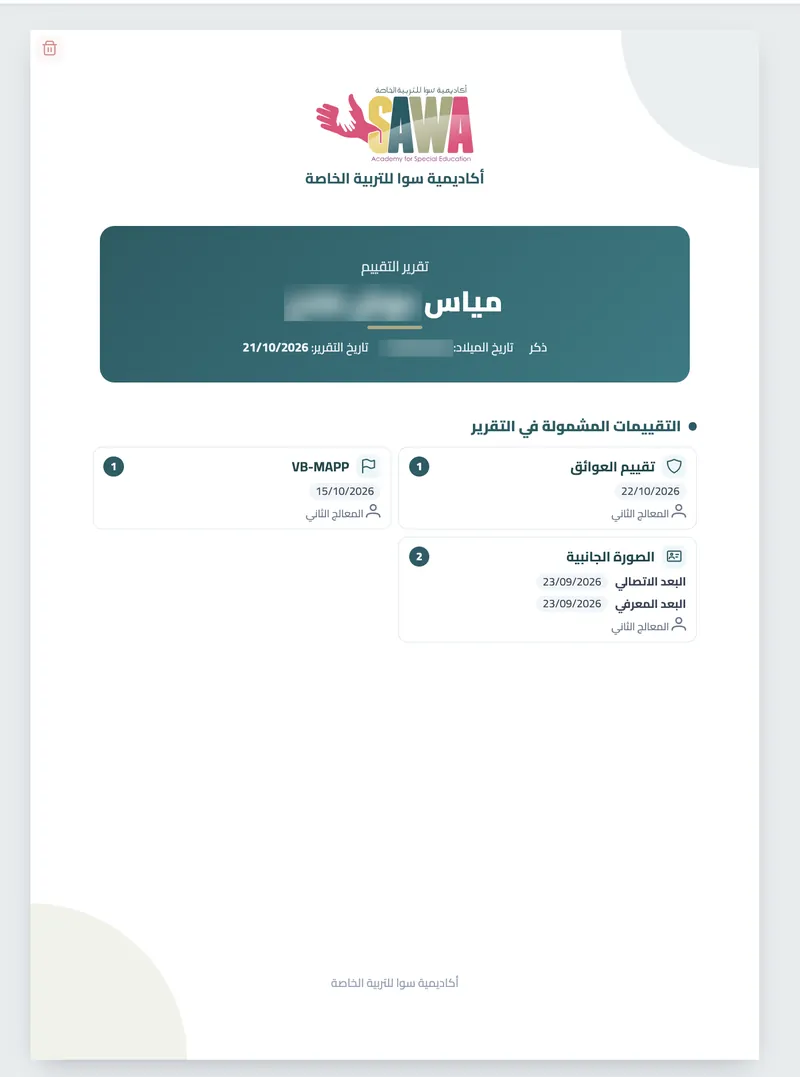
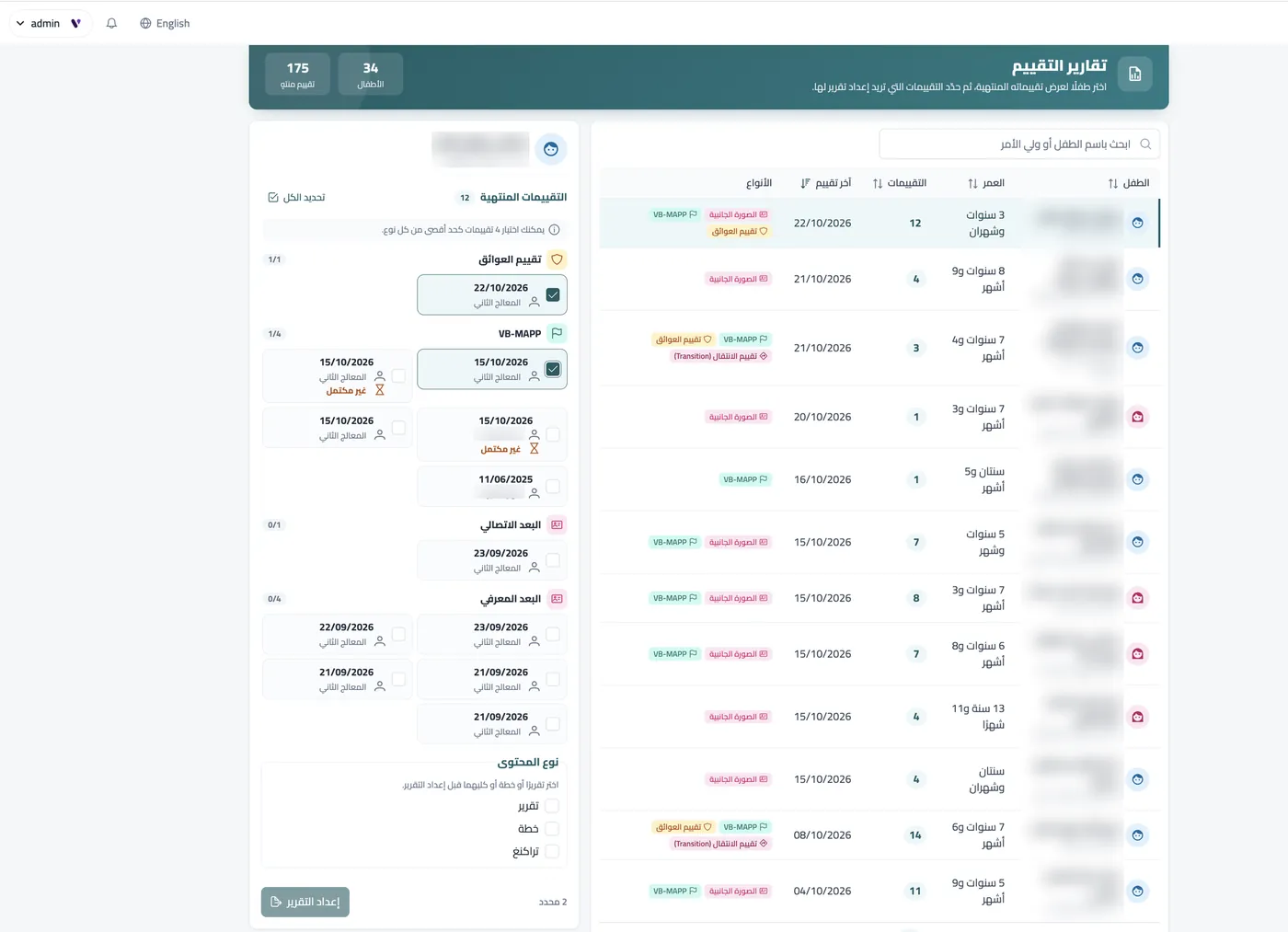
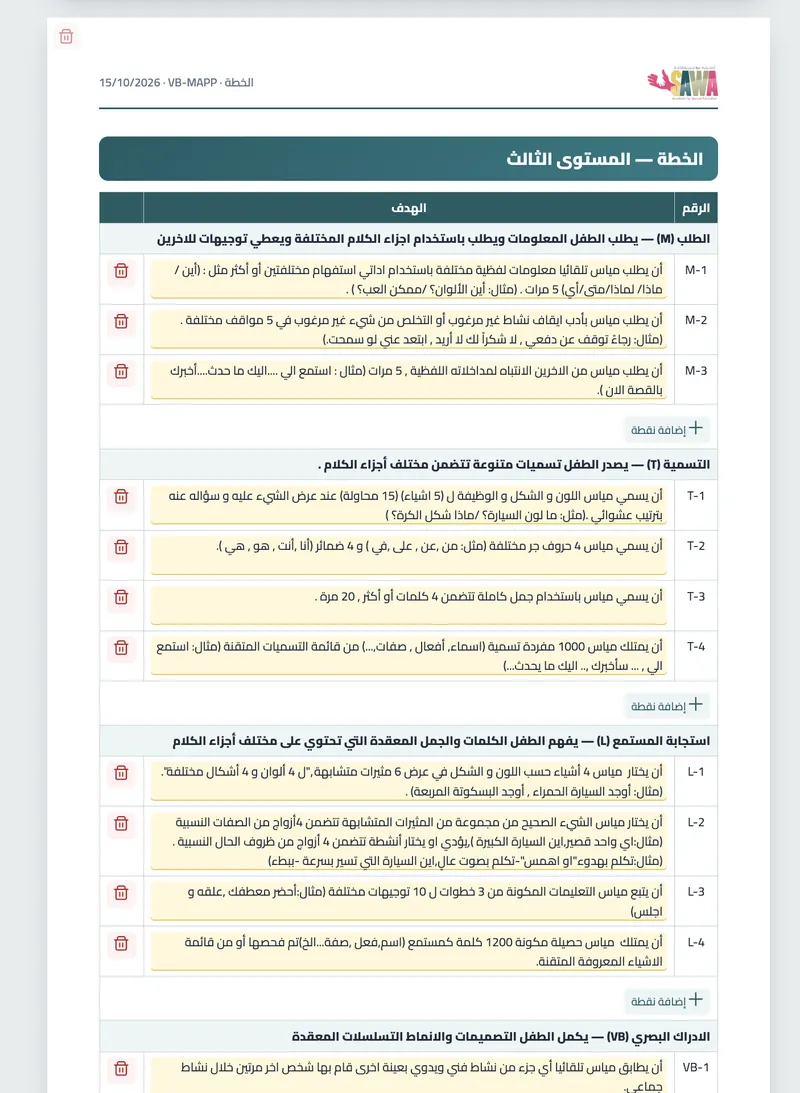
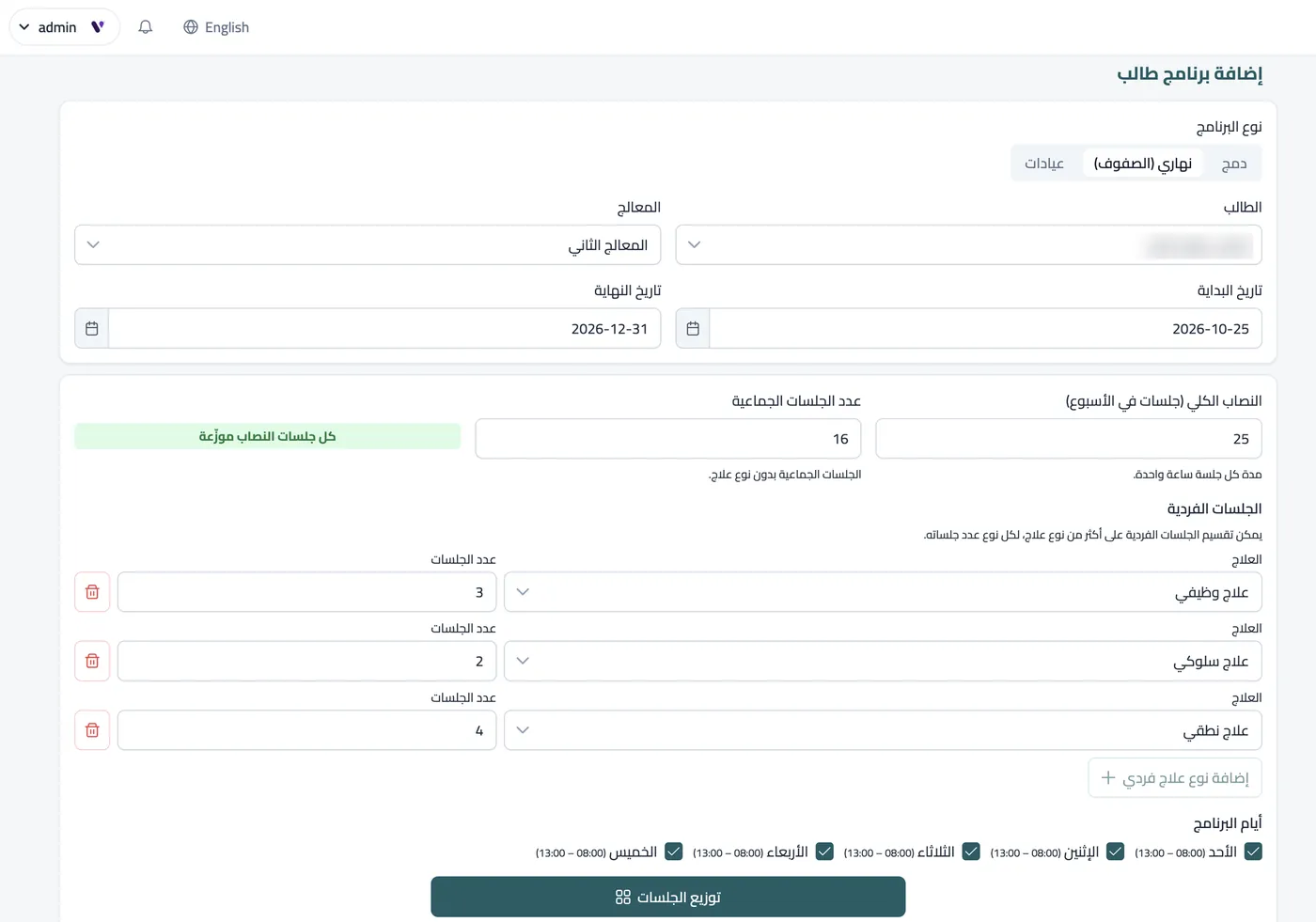
Bookings & assessments
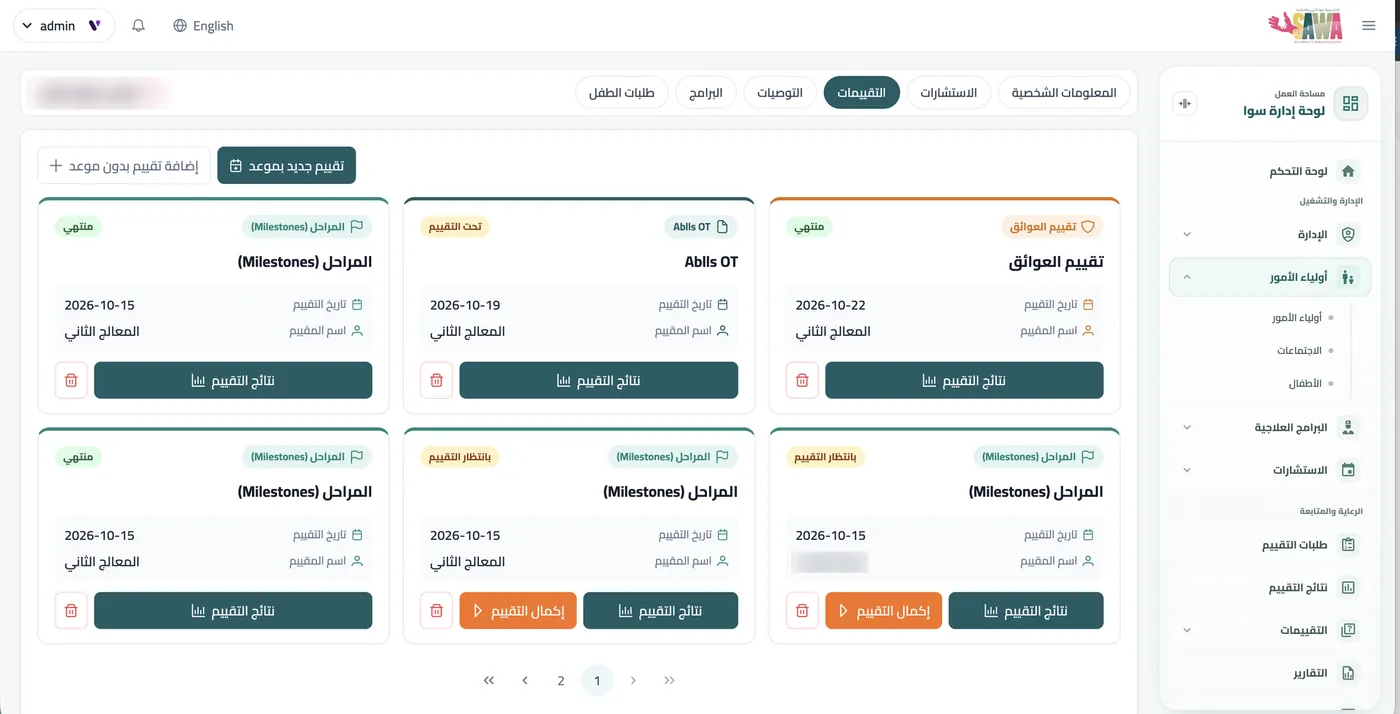
Every consultation with its date and status, and the assessments the consultant requested waiting to be booked with a therapist.
Names and phone numbers are hidden for privacy.
Assessment on the tools your therapists already know
Built from micro-modules, so any tool your center uses, including family-counseling and psychological-support tools, is added into the same structure.
Licensing of assessment tools is the center's responsibility.- 01Automatic scoring: totals calculate as you answer.
- 02Reassessment: only unmastered items are repeated.
- 03In stages: finish an assessment in a later session.
- 04Assessments that build on each other: when assessments are related, results from one carry over automatically to the next, as with the parts of VB-MAPP, so nothing is answered twice.
- 05In the child's name: phrased for boys or girls.
From a weakness to a mastered goal
The plan is generated from the assessment result, and the therapist edits it before approving it.
Pick a weakness and see the goal the system suggests
Real weaknesses from a VB-MAPP assessment in the system. Pick one and follow it all the way to mastery and home.
Requesting 4 different items without help
Ahmad will request 4 different items without help
- MT
- EXP
- RR
- Mastery
- Generalize
- Home
MT massed trials · EXP expanded training · RR random rotation
Illustration: the name is fictional, and therapists edit and approve the wording of every goal in the system.
Every schedule in the center builds itself
Scheduling was Sawa Academy's biggest operational problem. It is now fully solved.
- Automatic matching of child, therapist, room and time
- Changes in minutes for absences, moves and substitutes
- The system prevents conflicts and prices sessions from your fee table
Everything the therapist needs on one screen
Child requests a desired item with one word
Illustration: try logging responses.
- Goals & DTT sheetsLog each response with one tap, with date and trainer.
- ReinforcersA list per child and three tests to pick the best one.
- Break scheduleTrials and minutes between breaks, ready to print.
Parents know what is happening with their child
- Phone-number loginNo email needed, and a file for each child.
- Direct bookingFrom the consultant's open slots.
- Plans & reportsConsultation results, the plan and progress reports.
- Home guidancePractices that support the plan at home.
- Instant notificationsVia SMS and WhatsApp.
- Transport trackingAn alert when the child is picked up and dropped off.
Run the whole center from the same system
Human resources
Accounting
Invoices, receipts, payments, statements and financial reports for every client.
Operations & transport
Students, vehicles, routes and zones, plus parent meetings.
A dedicated staff app
Check-in and check-out, leave and permission requests, linked directly to the core system.

See Enable 360 working in your center
Book a live demo on cases like yours. We start by understanding your needs.
Message us on WhatsApp