
Why paper assessments take so long
In most centers an assessment goes through the same loop: print the form, fill it by hand, add up scores on a calculator, copy them into a table, draw the chart, then write the report from scratch. Every copy from one sheet to another is a chance for a small error, and every hour spent on it is an hour taken from the children.
It does not stop at the report. When a reassessment is due months later, the team has to find the old sheet to compare, and it may sit in another file or with a therapist who has moved departments.
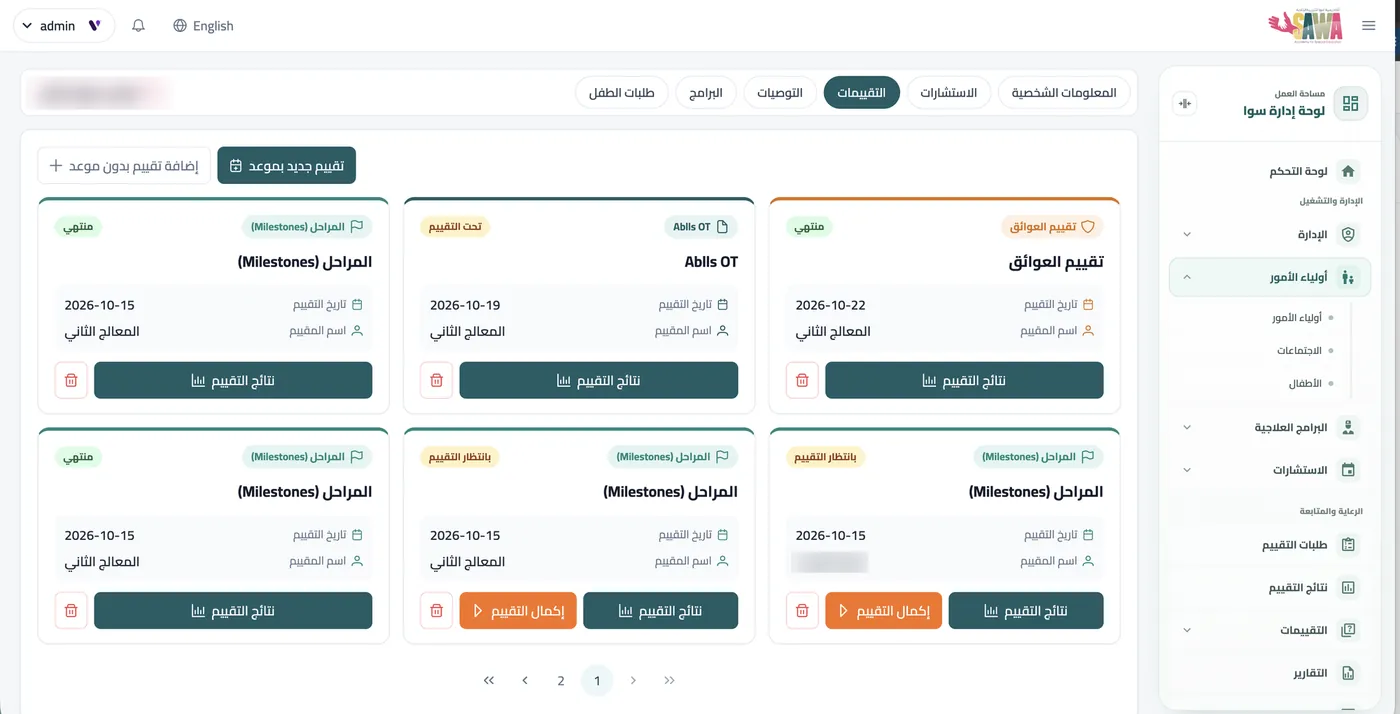
In Enable 360 the assessment is done in the system. The result lives in the child's file, and comparison with the previous assessment is always one click away.
15 assessment tools in the system
Each tool has its digital form, scoring, charts and report. They are listed here by their names in Enable 360:
| Tool | What it gives you |
|---|---|
| Verbal Behavior Stages | Levels, domains, general and sub-goals, and a plan built from the result |
| Learning Barriers | Subtests and answer types that show what is blocking learning |
| Transition Readiness | Readiness for a new learning setting, reusing results from the two tools above |
| Core Learning Skills | Categories and tasks, each task scored automatically |
| Functional Skills | Types, domains and skills for occupational therapy |
| Speech & Language Skills | Skills and sub-goals that take target items, with appendices per level |
| Early Developmental Curriculum | Age bands, domains and skills, with a plan built the same way |
| Early Autism Screening | Screening questions for parents, and a result that shows whether deeper assessment is needed |
| Rapid Functional Behavior Assessment | The function of a behavior before a behavior plan is written |
| Sensory Assessment | How the child responds to sensory input in daily life |
| Early Language Development | Language growth in the early years |
| Developmental Milestones | What to expect at each age |
| Skills Side Profile | A short profile across cognitive, motor, social and self-care areas |
| Reinforcer Preference Test | Ranks the reinforcers a child prefers for use in sessions |
| Center-defined assessments | Assessment types your center defines, with its own questions and answer types |
Licensing any assessment tool a center uses is the center's responsibility. Enable 360 provides the structure it runs on.
From request to approval
An assessment starts from the consultation result: the consultant picks the assessments the child needs, and they appear under "Required assessments" for the right department.
- The head of department assigns requests to therapists, based on who is qualified for each type.
- Booking takes three steps: the assessment, the assessor, then the day and time. Several assessments can be booked at once, or an assessment can be logged without an appointment.
- Therapists find their assessments on the "My day" page and start any of them in one click, or run one inside the child's session.
- Long assessments continue over several sessions, with answers saved as they go.
- Answers can be edited before approval. Then the assessment follows the approval path your center sets, for example head of department, then clinical supervisor.
Questions and strengths are written in both masculine and feminine forms in Arabic, so each report reads correctly for the child.
A report ready to print and send
After approval the therapist copies nothing by hand:
- The report builder combines up to 4 assessments of each type, so readers see progress over time.
- Strengths and needs appear as one card per domain, and the therapist chooses what goes into the report.
- Printing uses set margins and the center's branding.
- The combined report goes to parents through their portal and is kept exactly as sent.
Needs become the plan
The needs in the report are where the treatment plan starts. The system suggests a goal for each need, and the therapist removes, adds or rewords before approval. A goal bank linked to each assessment saves rewriting common goals.
Once approved, goals move to the session screen, where mastery is tracked trial by trial. See the session screen.
Outcomes across the center
The outcomes page shows each child's progress and clinical profile. Clinical supervisors use it to follow program quality, and centers can use it for research when parents' consent is recorded in the system.
Want to see this on cases like yours?
We demo the system on cases close to your center's work, starting with your needs.
Book a live demoFAQ
Can we add an assessment that is not on the list?
Yes. Center-defined assessments let you create a new type with its own questions and answer types. Tools that need special scoring can be built into the system when needed.
Does the system score automatically?
Yes. Scores and totals are calculated as answers are entered, and charts, strengths and needs appear with no extra input.
What if an assessment is not finished in one session?
It continues in a later session from where the therapist stopped, with earlier answers saved.
Who decides which therapist runs each assessment?
Your center. The "Who assesses" page lists qualified therapists per type, and the head of department assigns requests to them.
Do parents see results right away?
They see the combined report after it is approved and sent by the center, not raw answers during the assessment.
Sources
Last updated: